

SopAI is the strongest fit for teams that want AI content creation, scheduling, and brand-voice reply automation running as one connected system instead of three disconnected tools. Teams using an integrated platform typically save hours a week on drafting and moderation, keep replies consistent across every channel, and respond to leads faster because AI triages messages before a human ever sees them. Success looks like this: your queue is never empty, your voice never slips, and no comment sits unanswered for a day.
TL;DR:
- Effective AI social media management requires strong brand-voice training and clear guardrails to prevent tone drift and off-limit topics.
- Automated comment-to-DM and reply features are now standard, making them critical capabilities that shouldn't be overlooked in platform selection.
- A focused 30 to 90-day pilot helps measure metrics like response times and content batch output, reducing risks before full deployment.
- Human oversight remains essential for handling sensitive issues, crisis moments, and complex conversations, with escalation triggers set for speed.
- Data privacy and content transparency are ongoing compliance issues, requiring clear data handling policies and honest disclosure about AI-generated content.
Table of Contents
- What Does AI Social Media Management Actually Do Today?
- How Do You Evaluate an AI Social Media Platform?
- How Do You Pilot AI Social Media Automation Without Risk?
- How Do You Roll Out AI Social Automation Safely?
- SopAI in Practice: Features, Proof, and Safety Design
- How Do You Train an AI Model on Your Brand's Voice?
- How Do You Catch AI-Generated Content Mistakes Before Customers Do?
- What Happens When AI Handles a Crisis or a Sensitive Comment?
- What Are the Compliance Risks in AI Social Media Management?
- Editorial Perspective: Where AI Belongs and Where It Doesn't
- Try SopAI: What to Test in Your First Two Weeks
- Sources
What Does AI Social Media Management Actually Do Today?
Ask ten vendors what "AI social media management" means and you get ten different pitches. Strip away the marketing language and the category breaks into four real capability buckets: content, scheduling, automations, and analytics. Understanding which bucket you're weak in tells you exactly what to shop for.
Content generation has moved past generic caption suggestions. Modern tools draft full post variations from a single brief, generate images and short video clips, and build carousel templates you can reuse across a campaign. SocialBee's product messaging reflects a common vendor claim in this space: teams can produce a month of content in under an hour once templates and brand guidelines are set up. That number is aspirational marketing copy, not an independent benchmark, but it points to a real shift: content creation is now a batch process, not a daily scramble.
Scheduling and calendar automation solved the "when do I post" problem years ago, and AI has mostly made it smarter rather than different. Bulk scheduling still matters, but the newer layer is time-optimization: the system studies when your specific audience engages and nudges your queue toward those windows automatically. Category-based queues (evergreen content, promotional posts, curated shares) rotate on their own, and recycling logic resurfaces high-performing posts without you manually digging through old campaigns.
Automations and AI agents are where the category has changed the most in the last two years. TechCrunch's coverage of low-code AI agent platforms captures a broader trend: businesses can now assemble custom automation workflows without engineering teams, and social media has become one of the most common use cases. In practice, that means:
- Auto-replies that answer common questions in your brand voice without a human touching the keyboard
- Comment-to-DM automation that moves a public comment into a private conversation to close a sale or handle a complaint
- Routing rules that flag high-intent messages (a buying question, a complaint, a partnership pitch) for priority handling
- Buyer scoring that ranks incoming messages by purchase intent so your team works the hottest leads first
Product write-ups on platforms like Ocoya describe similar comment-to-DM and auto-reply patterns as standard features, which tells you this isn't a niche capability anymore. It's table stakes.
Analytics and AI-driven insights round out the picture. The best systems don't just report likes and shares; they surface topic discovery (what's trending in your niche before your competitors notice), flag which post format is quietly outperforming the rest, and suggest what to post next based on what already worked.

Platform coverage matters more than most buyers realize going in. A tool that handles Instagram and Facebook well but treats TikTok, X, WhatsApp, Telegram, Threads, and YouTube as afterthoughts will leave you juggling a second tool anyway, which defeats the point of automating in the first place.
How Do You Evaluate an AI Social Media Platform?
Feature lists all start to sound the same after the third demo. The differences that actually matter show up in six specific areas, and most buyers skip at least two of them.
- Brand-voice customization and guardrails. Can you train the AI on your actual tone, or does it default to generic corporate copy? Ask whether the system lets you set hard rules (never discuss pricing, never promise refunds) that override the AI's judgment.
- Network coverage and publishing reliability. Feature checklists rarely mention this, but G2 reviews of scheduling platforms consistently surface the same complaint: posts that silently fail to publish or get flagged by a platform's API. Ask any vendor directly about their publish success rate and how they alert you to failures.
- Analytics and attribution. Does the tool connect a post or reply to an actual sale or lead, or does it stop at engagement metrics that look good in a report but don't tie to revenue?
- Security, data residency, and integration support. Where is your customer data stored, who has access to it, and does the platform offer an API if you need custom integrations later?
- Pricing shapes and limits. Watch for caps on connected accounts, monthly AI generations, or automation rules that force an upgrade the moment you scale.
Pro Tip: Ask every vendor the same blunt question during a demo: "What happens when a customer asks something your AI doesn't understand?" The answer tells you more about the product's maturity than any feature list.
Roundups like Zapier's AI social media tool comparison organize vendors by a single dominant strength: one is best for value, another for channel-specific tailoring, another for content recycling. That structure is useful. Decide your single biggest priority before you start evaluating, because no platform excels at everything.
How Do You Pilot AI Social Media Automation Without Risk?
You don't need a six-month rollout plan to know if AI social automation will work for your team. A 30 to 90 day pilot, scoped tightly, gives you a real answer with limited downside.
- Set your goals before the demo, not after. Pick two or three metrics: hours saved on content creation, average response time to comments and DMs, and engagement lift on automated versus manual posts.
- Scope the pilot narrowly. Choose one brand or one campaign, two platforms (usually your highest-volume channel plus one secondary), and a limited set of automations. Comment-to-DM and auto-replies for FAQs are a low-risk starting point.
- Measure your baseline first. Track your current time-to-reply and weekly content output for two weeks before turning anything on, so your "after" numbers mean something.
- Run the pilot and compare weekly. Don't wait until day 90 to look at the data. Weekly check-ins catch a misconfigured auto-reply before it embarrasses you.
One realistic KPI to test during the pilot: how long it takes to produce a month's worth of content using the platform's templates and AI drafting, since vendors commonly advertise this exact benchmark as a core value proposition. If a tool claims an hour and it takes your team a full day, that's useful information.
During vendor demos, push past the feature tour with a short checklist:
- Ask to see a failed automation and how the system alerts a human
- Ask how brand voice is trained, and whether it improves or drifts over time
- Ask what happens to a message the AI can't confidently answer
- Ask for a reference customer in your industry, not a generic case study
- Ask about publish reliability across the specific platforms you use most
Red flags during a demo are rarely dramatic. They're usually a vague answer to "what happens when the AI is wrong," or a sales rep who can't explain escalation without checking with someone else.
How Do You Roll Out AI Social Automation Safely?
Selecting a platform is the easy part. Getting your team to actually use it well, without a bot embarrassing your brand in week two, takes a short but deliberate rollout.
- Connect every account first and verify publishing access on each platform before building anything else, since a broken connection wastes setup time later.
- Build brand voice templates from real examples of your best past replies, not a generic tone description.
- Set explicit reply guardrails: topics the AI should never touch, phrases it should never use, and a clear escalation path for anything outside its confidence range.
- Define who reviews flagged conversations and how fast, so escalation doesn't sit in a queue overnight.
- Document the setup as a short standard operating procedure so a new hire can run it without asking you five questions.
- Schedule a two-week and a thirty-day review to adjust reply thresholds based on what the AI got wrong.
Pro Tip: Start your automation thresholds conservative and loosen them over time. It's far easier to give an AI more autonomy after it earns your trust than to walk back a mistake it already made publicly.
Treat the first month as tuning, not launch. Prompts and moderation thresholds almost always need adjusting once real customer messages start hitting the system, since no test conversation fully predicts how your actual audience writes.
SopAI in Practice: Features, Proof, and Safety Design
SopAI was built around the six evaluation criteria above, not retrofitted to match them. Brand-voice automations let you train replies on your actual past messages rather than a generic tone slider, and rule-based guardrails stop the AI cold on topics you mark off-limits. The buyer score feature rates incoming messages from 0 to 100 across 13 distinct purchase intents, so your team's attention goes to the conversation most likely to close, not whichever one arrived first.
Brands using SopAI saw a significant rise in new customers within a week of adoption, driven largely by faster response times and consistent reply quality across channels.
That kind of first-week lift tracks with what faster, always-on responses tend to do: fewer abandoned inquiries, fewer customers who wander off to a competitor because nobody answered in time.
On the operational side:
- Multi-network support spans eight platforms, including Instagram, TikTok, X, YouTube, Telegram, Facebook, Threads, and WhatsApp, so you're not stitching together a second tool for channel gaps.
- Multi-language reply support means one brand voice configuration works across international audiences without a separate setup per language.
- Shared workspaces give agencies and larger teams role-based access without everyone touching the same login.
- Desktop app support keeps the workflow available outside a browser tab for teams running social full-time.
Escalation follows the same human-in-loop principle Sprinklr recommends for AI in social media: routine questions get automated answers, anything with ambiguity or emotional weight routes to a person. The full feature breakdown covers configuration details for teams ready to see the mechanics before a trial.
How Do You Train an AI Model on Your Brand's Voice?
Generic AI output is the single biggest complaint about AI content tools, and it's almost always a training problem, not a platform limitation. The fix starts with feeding the system real examples: your best-performing past captions, your actual customer service replies, the phrases your brand uses and the ones it never does.
Most platforms let you set explicit style parameters beyond tone alone: sentence length, use of emoji, formality level, even regional phrasing if you serve different markets. The mistake teams make is training once and walking away. Voice drift is real. An AI that sounded like you in January can sound noticeably off by June if nobody reviews and corrects its output along the way.
The stronger approach treats brand voice as a living configuration. Review a sample of AI-generated replies every few weeks, flag anything that feels off, and feed those corrections back into the system. Platforms with reusable reply templates make this faster, since you're refining a smaller set of patterns instead of re-training from scratch every time.
Customization also means knowing where to draw a hard line. Certain topics (pricing negotiations, legal questions, anything emotionally charged) benefit from a scripted, reviewed template rather than freeform AI generation, even if the tone matches perfectly. Voice consistency and message safety are two different problems, and a good training process solves both separately.
How Do You Catch AI-Generated Content Mistakes Before Customers Do?
AI-generated replies and posts fail in predictable ways: factual errors about your own product, tone that reads as tone-deaf next to a sensitive comment, or a caption that technically makes sense but says nothing useful. Catching these before they go live is a process problem, not a technology problem.
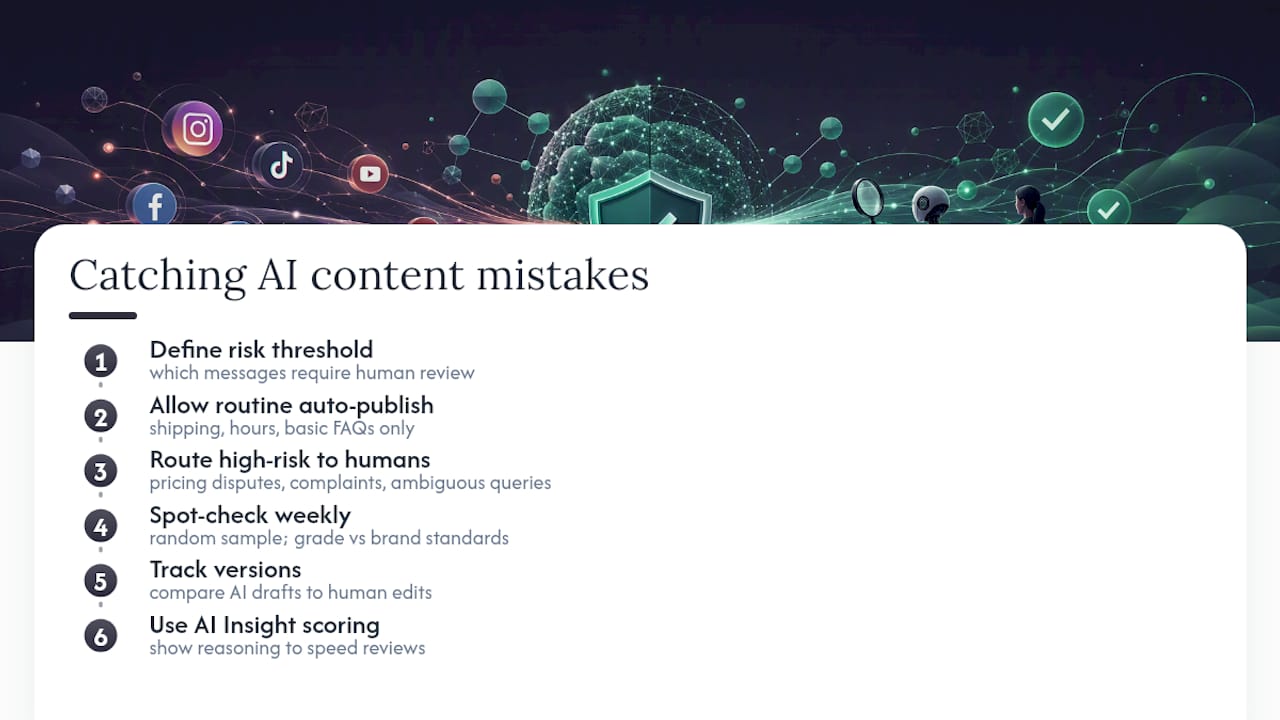
The most reliable method is a lightweight review layer for anything above a defined risk threshold. Routine replies (shipping questions, store hours, basic FAQs) can go out unreviewed once the AI proves consistent. Anything touching pricing disputes, complaints, or ambiguous questions should route to a human, even if that adds a short delay.
Spot-checking matters more than people expect. Pull a random sample of AI-generated replies weekly and grade them against your actual brand standards, not against "did it sound roughly right." Patterns emerge fast: maybe the AI consistently mishandles a specific product question, or drifts toward an overly apologetic tone in complaint replies. Those patterns are fixable once you see them, but only if someone's actually looking.
Version tracking helps too. If a platform lets you see what the AI generated versus what a human edited before publishing, you get a running record of where the model needs retraining. Treat accuracy monitoring as an ongoing habit, not a one-time quality check during setup. The AI Insight scoring feature that some platforms build in, showing the reasoning behind a flagged message, gives reviewers a faster way to spot-check without reading every single reply from scratch.
What Happens When AI Handles a Crisis or a Sensitive Comment?
A pricing question is easy. A public comment accusing your brand of something serious is not, and this is exactly where fully automated systems earn their reputation for getting it wrong. The fix isn't turning AI off entirely during sensitive moments. It's building the detour before you need it.
Set explicit trigger words and sentiment thresholds that immediately pull a message out of the automated queue: complaints involving safety, legal threats, mentions of injury, or language suggesting real anger rather than routine frustration. When one of those triggers fires, the system should stop attempting a reply and flag a human instead, with no automated response sent in the meantime. A generic "we're sorry to hear that, DM us!" reply under a serious accusation can do more damage than silence.
Speed still matters even in the handoff. The goal is a fast escalation to a person, not a fast automated reply. Build a short internal protocol: who gets the alert, how quickly they're expected to respond, and what language is pre-approved for an initial holding reply if a human can't jump in within minutes.
Train your team on this distinction explicitly, because it's counterintuitive after weeks of trusting automation for everything else. The AI's job during a crisis is detection and triage, not resolution. Review every crisis-flagged conversation afterward, whether the outcome was good or bad, and adjust your trigger list based on what the system missed or over-flagged.
What Are the Compliance Risks in AI Social Media Management?
Two issues come up constantly once brands start automating replies at scale: data privacy and content authenticity. Neither is theoretical.
Data privacy matters because AI reply systems process real customer messages, sometimes containing personal details, order numbers, or account information. Before adopting any platform, confirm where that data is stored, who can access it, and whether it's used to train models beyond your own account. A vendor that can't answer this clearly in a sales call is a vendor to avoid, regardless of how good the demo looked.
Content authenticity is the subtler risk. Regulators and platforms increasingly expect disclosure when content is AI-generated, particularly for anything resembling an endorsement or a testimonial. Even without a legal requirement in every case, audiences have gotten sharper at spotting AI-written replies that feel hollow, and a brand caught passing off obviously synthetic content as personal can lose trust fast. The safer standard: use AI to draft and accelerate, but keep a human accountable for anything published under your brand's name, and be transparent internally about what percentage of your output is AI-assisted versus AI-generated versus fully human.
Compliance here isn't a single checkbox. It's an ongoing practice of knowing exactly what your AI touches, documenting it, and being ready to explain your process if a customer or regulator ever asks.
Editorial Perspective: Where AI Belongs and Where It Doesn't
The honest answer isn't "automate everything" or "keep humans on everything." It's task-specific. Scheduling, bulk content drafting, FAQ replies, and lead routing are ideal for AI: repetitive, low emotional stakes, and easy to measure. Crisis responses, ambiguous complaints, and anything touching legal or safety concerns should stay human-led, full stop.
The workflow that actually holds up in practice looks like this: AI drafts and routes, a human spot-checks a sample daily and reviews everything flagged as sensitive, and the brand-voice templates get refined weekly based on what got edited most. That loop, not a one-time setup, is what separates teams who automate successfully from teams who automate once and regret it three months later. The tools have gotten good enough. The discipline around using them well is still the part most teams skip.
— SopAI
Try SopAI: What to Test in Your First Two Weeks
If you're ready to see integrated AI content, scheduling, and reply automation working as one system instead of three separate subscriptions, start with SopAI's main platform and connect your two busiest channels first.
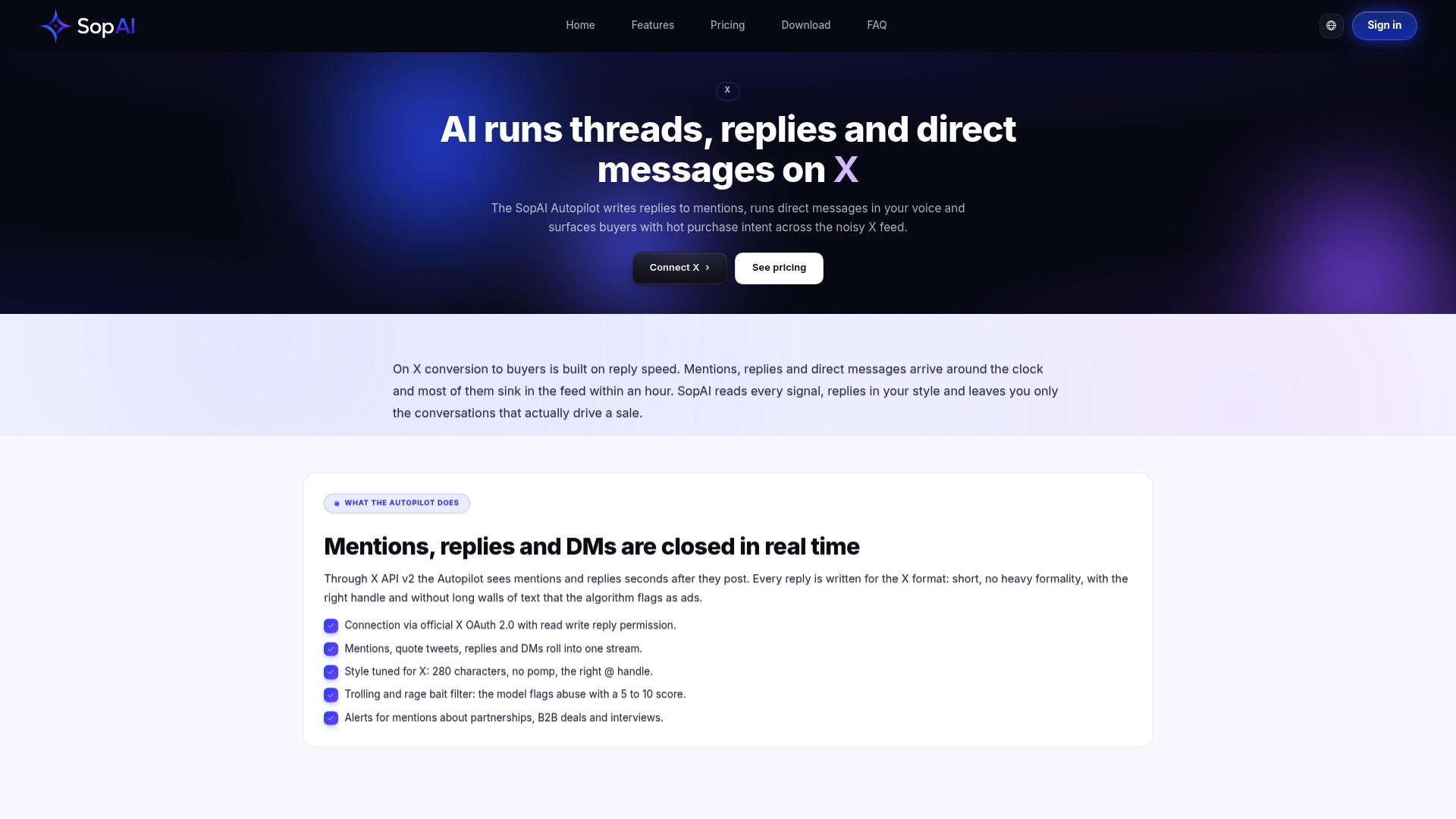
Use the trial to test three things specifically: how fast the AI drafts a week of content in your brand voice, how accurately it triages incoming comments and DMs using buyer scoring, and how cleanly it hands off a flagged conversation to a human. Compare your response time and content output against your baseline from the two weeks prior. If you're currently juggling separate tools for scheduling and reply management, the feature breakdown shows exactly how those workflows consolidate, and the pricing page lays out plans starting from $9 a month if you want the numbers before you commit. Teams switching from a pure scheduler often start by comparing SopAI against Hootsuite to see where the reply automation gap actually shows up.
Sources
- The 8 best AI tools for social media management in 2025 - Zapier
- Relevance AI low-code platform enables businesses to build AI teams - TechCrunch
- Hootsuite reviews on G2