

TikTok supports native auto-replies only inside its Business messaging tools: welcome messages, keyword replies, suggested questions, and chat prompts. It does not offer a safe comment-to-DM webhook for organic comments, so any tool promising to auto-answer every comment on your videos is either using unofficial scraping or overselling what’s possible. Here’s the fast version of what to do about it:
-
Native and safe: Turn on TikTok Business Suite’s automatic messages for DMs.
-
Scales further: Pair Messaging Ads with an approved Business Messaging API partner.
-
Skip entirely: Any tool that claims to auto-reply to public comments without you initiating contact first.
Key Takeaways
Native TikTok auto-replies work only for direct messages that a user starts first, and no compliant path currently turns public comments into automated DMs.
| Point | Details |
|---|---|
| Enable native messages first | Turn on Welcome Message, Keyword Reply, and Suggested Questions in TikTok Business Suite before buying any tool. |
| Comments stay manual or paid | Use Messaging Ads or cross-post to Instagram if you need a comment-to-DM funnel; there’s no free API route on TikTok. |
| Vet partners before onboarding | Confirm official Business Messaging API partner status in TikTok Business Center and get their rate-limit documentation. |
| Avoid unofficial scraping | Headless-browser or scraping tools that read comments and auto-DM violate developer terms and risk account suspension. |
| Extend with brand-voice AI | SopAI automates TikTok DM replies alongside seven other networks, keeping tone consistent while cutting response time. |
Official docs and high-quality explainers to read next
Table of Contents
-
Safe ways to scale TikTok auto replies without risking your account
-
Why most advice on TikTok automation gets the priority backward
How to set up auto reply on TikTok step by step
Getting native TikTok auto replies running takes most business owners under 30 minutes, and a good chunk of that is just waiting for account permissions to sync.
Before you start, confirm three things: you’re on a TikTok Business Account (not Personal or Creator), your messaging permission is set to “Receive messages from Everyone” rather than “Following,” and if you want the full suite of automation, you may need Advanced Access or a Verified Business Account, which TikTok grants based on account history and compliance standing.
Here’s the setup path:
-
Open your Profile, tap the Menu icon (three lines), and select Business Suite.
-
Go to Message Center and look for the automated messaging settings.
-
Toggle on Welcome Message — this fires the first time someone DMs you. Keep it under 100 characters: something like “Thanks for reaching out! We reply within a few hours. Check our bio link for FAQs.”
-
Set up Keyword Reply. You define trigger words (say, “price” or “shipping”) and a canned response TikTok sends automatically when a user’s message contains that word. Adweek’s walkthrough on keyword auto-replies shows the UI has room for a handful of these entries, so prioritize your three or four most common questions.
-
Configure Suggested Questions so new contacts see tappable prompts instead of typing from scratch.
-
Enable Chat Prompts if you want quick-reply buttons inside ongoing conversations.
-
Send yourself a test DM from a secondary account to confirm the welcome message and keyword triggers fire correctly.
A few things trip people up here:
-
Keyword matching is usually case-insensitive but exact-phrase, so “ship” won’t catch “shipping” unless you add both.
-
Automated messages only activate once a user sends the first message. Nothing here touches comments.
-
If toggles are grayed out, your account permission level is the usual culprit. Recheck your Business Account status before assuming the feature is broken.
Pro Tip: Write your keyword replies like a real person would text back, not like a chatbot script. “Hey! Our sizing chart is in our bio 👕” out-converts “Please refer to our size guide document” almost every time.
What can the TikTok Business Messaging API actually do?
The Business Messaging API extends what the in-app Business Suite offers, but it does not open a new door to comments. It supports automated DMs, welcome flows, and keyword-based routing at a larger scale than you can manage by hand, and it’s built for approved partners rather than solo business owners writing custom code.
There is currently no official webhook that triggers a direct message from an organic public comment. TikTok has kept that door closed for privacy and security reasons, and the platform’s own guidance points businesses toward Messaging Ads as the compliant path for turning comment engagement into conversations, according to Creator Lane’s analysis of TikTok’s DM automation landscape.
That’s the single biggest misconception people bring to this topic. Instagram lets you build a comment-to-DM funnel; TikTok, as of mid-2026, does not. Qiscus’s documentation on TikTok’s DM integration confirms the same thing from the integration side: native automation only activates after a user starts the conversation.
A few practical realities worth knowing before you shop for a solution:
-
API access is gated toward approved partners and enterprise-tier accounts, not casual sign-ups.
-
Rate limits apply, and partners must document how they handle them.
-
Unofficial scraping or headless-browser tools that “read” your comments and auto-DM commenters violate TikTok’s developer terms and put your account at real risk of suspension.
If a vendor pitches a comment-auto-reply feature with no mention of official partner status, treat that as a red flag, not a bonus feature.
Safe ways to scale TikTok auto replies without risking your account
Your options split cleanly by budget and volume. Here’s how to think about which lane fits your business.
Approved Business Messaging API partners handle the technical lift for you. ManyChat’s setup documentation shows the pattern clearly: automations trigger on events like “user sends a message,” a tapped Ref URL, or a scanned QR code, not on comments. Onboarding usually means connecting your Business account and verifying partner status inside TikTok Business Center before your first flow goes live.
Messaging Ads are TikTok’s own paid mechanism for driving comment engagement into a conversation, useful once you’re running conversion campaigns rather than organic-only content.
Cross-posting to Instagram solves the comment-to-DM itch directly, since Instagram’s automation ecosystem does support that funnel, and you can sync qualified leads back into your TikTok audience targeting.
Manual replies still work at small scale. Save canned responses as text snippets, prioritize commenters who show obvious buying intent, and don’t feel pressure to automate what twenty DMs a day can handle by hand.
Before picking a partner, check:
-
Verified partner status in TikTok Business Center.
-
Documented data handling and rate-limit policies.
-
How much the tool lets you customize tone so replies don’t sound robotic.
-
Realistic onboarding time, not marketing-page promises.
-
Whether pricing scales with your message volume or punishes growth.
Pro Tip: Ask any partner tool directly, “What happens to my account if TikTok rate-limits us?” A vendor with a real answer has done this before. A vague one hasn’t.
Where SopAI fits into a compliant TikTok reply strategy
SopAI automates replies in your brand’s actual voice across TikTok and seven other networks, so the keyword flows and welcome messages you build in TikTok’s native tools can extend into a consistent voice everywhere else you show up. Businesses using SopAI saw a 24% rise in new customers within a week of turning it on, largely because responses stopped waiting on business hours.
It maps directly to the partner checklist above:
-
Brand-voice customization instead of generic canned text.
-
Multi-network reach, so TikTok, Instagram, and the rest share one reply logic.
-
Reply templates and an AI Copilot that drafts responses instead of leaving you to write every keyword trigger from scratch.
A typical rollout: connect your TikTok Business Account, confirm messaging permissions, map your welcome and keyword flows inside SopAI’s TikTok automation, then test on a low-stakes thread before turning it loose on real traffic.
Why most advice on TikTok automation gets the priority backward
Most guides to TikTok automated responses spend their energy on workarounds for comments, because that’s the feature everyone wants and Instagram trained us to expect. That’s backward. The native DM tools TikTok already gives you handle the bulk of real customer inquiries: pricing questions, shipping status, “where do I buy this.” Comments are mostly public performance, not private intent. Chasing a comment-to-DM hack before you’ve even turned on Keyword Reply is optimizing the wrong layer.
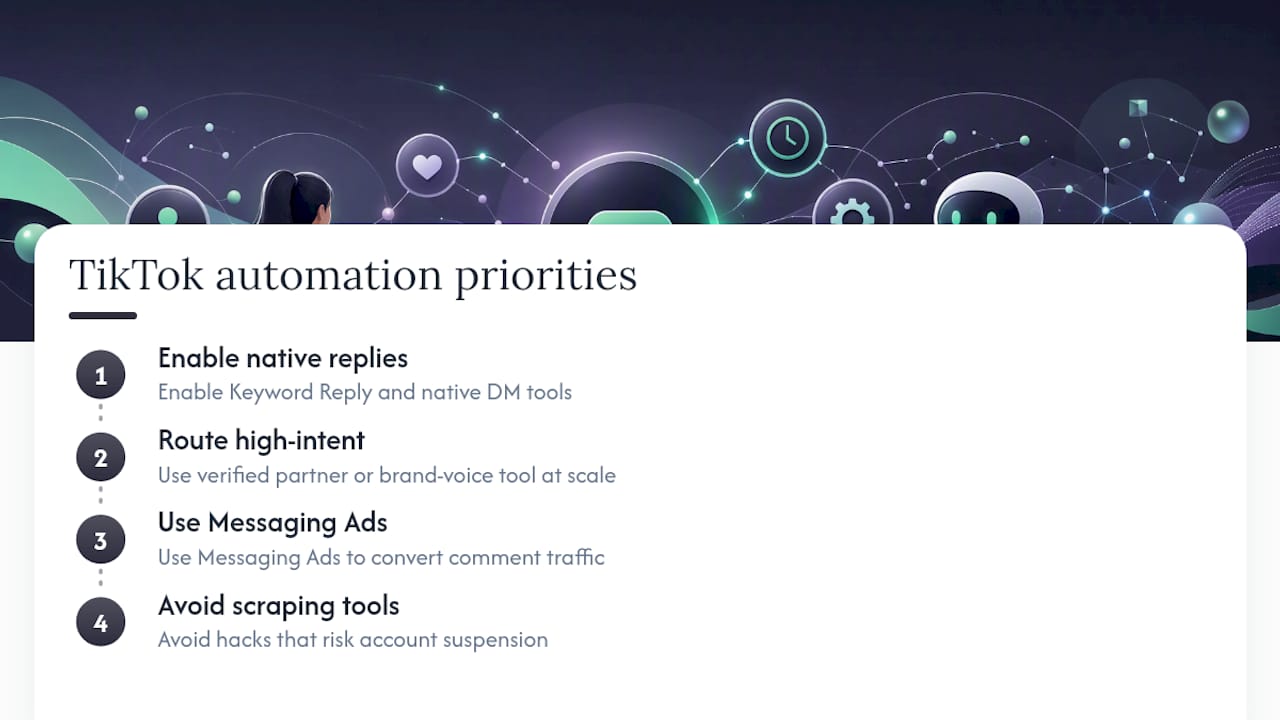
The bigger risk isn’t missing a feature. It’s businesses reaching for scraping tools out of impatience, not realizing that TikTok’s decision to withhold a comment webhook is deliberate policy, not an oversight. An account suspension costs far more than a few unanswered comments ever will.
What I’d prioritize instead: get the native auto-reply settings dialed in this week, route your highest-intent conversations through a verified partner or a brand-voice tool once volume justifies it, and treat Messaging Ads as your comment-conversion lever if that funnel genuinely matters to your business. Skip anything that promises to skip TikTok’s own rules.
— SopAI
Automate TikTok replies in your brand voice with SopAI
SopAI gives you one place to run the keyword flows and welcome messages this article just walked through, then extends that same tone to Instagram, X, WhatsApp, and five other networks without rebuilding your reply logic on each one. If you’ve been manually answering the same shipping and pricing questions across three apps, that’s the specific hours SopAI gets back for you.
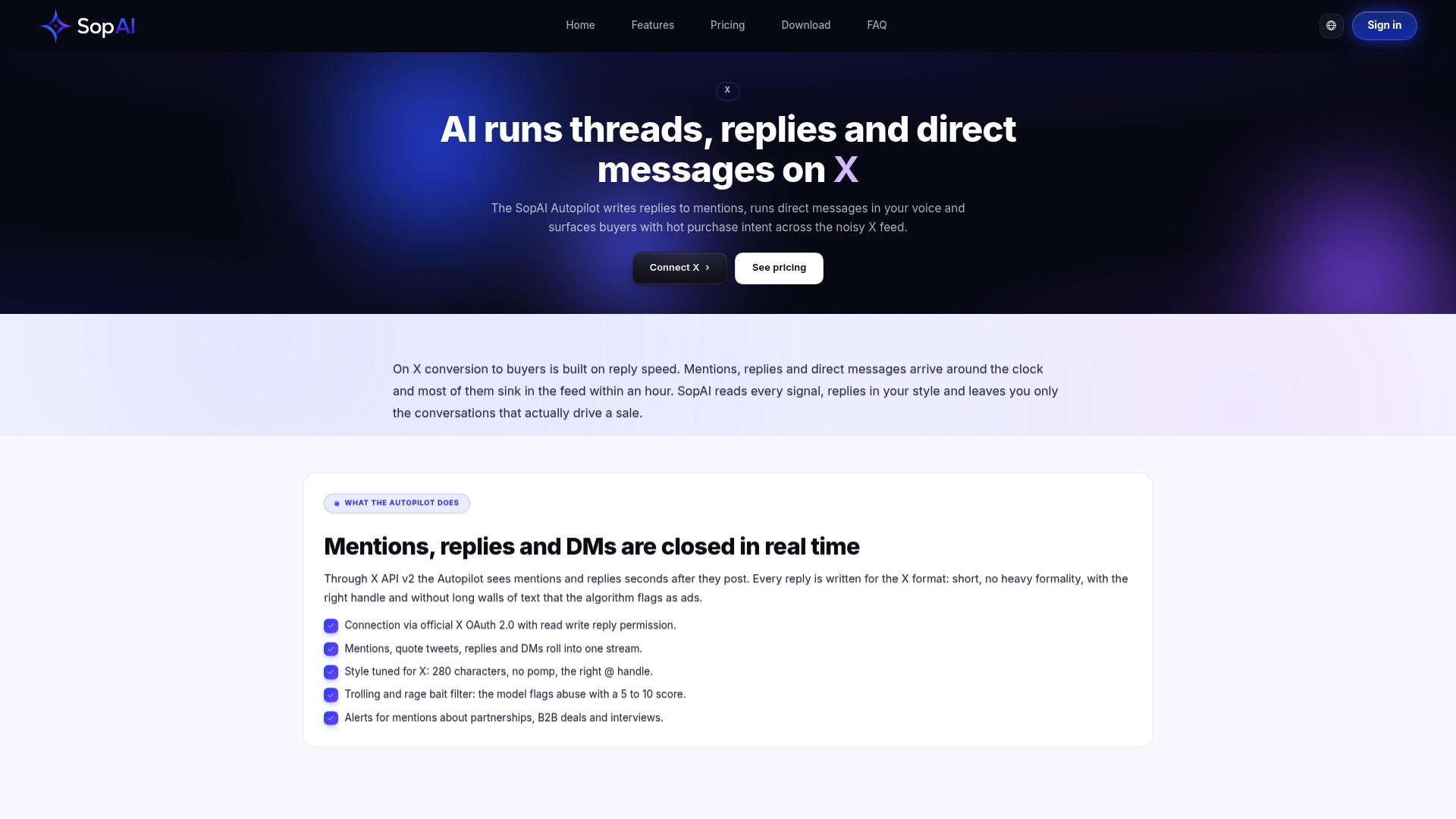
It suits businesses that already have a TikTok Business Account set up and want their DM automation to sound like an actual team member, not a script. The AI Autopilot handles replies around the clock, and reply templates give you a starting point for the keyword flows you configured earlier in TikTok’s own settings. Check the features page to see how brand-voice customization and multi-network reach work together, then connect your TikTok account and map your first flow.
Sources
-
How to set up automatic messages for TikTok accounts in the TikTok app
-
Set up your first TikTok automation in Manychat: User sends a message – Manychat Help