

Four real methods exist to automate replies on X: managed SaaS platforms like Sopai, custom bots built on the X API, browser extensions that post through your logged-in session, and no-code workflows in tools like n8n. For most brands that need consistent tone across support and engagement, managed SaaS is the safest default. Developers with specific logic needs should build against the API directly, but every route has to respect X's rate limits, including the error 226 spam trigger, from day one.
TL;DR:
- Using API-based bots requires developer accounts, OAuth setup, and careful management of rate limits and spam triggers to avoid errors.
- Browser extensions offer quick testing with minimal setup but depend on your browser remaining open and do not bypass policy enforcement risks.
- No-code workflows allow non-developers to build custom replies with frequent polling and filtering, but still demand proper credential management.
- To prevent spam flags, randomize reply delays, use multiple templates, target high-engagement tweets, and cap daily reply volumes well below API limits.
- Managed SaaS platforms like Sopai provide built-in safeguards, voice training, and engagement logging, making them the safest choice for consistent, scalable automation.
Table of Contents
- What Are the Main Ways to Set Up Twitter Auto Reply?
- How Do You Build an API-Driven Auto Reply?
- How Do Browser Extensions Handle Automatic Replies on Twitter?
- How Do You Build a No-Code Twitter Reply Workflow?
- How Do You Avoid Spam Flags and Account Penalties?
- How Do You Choose the Right Twitter Response Automation for Your Needs?
- Why Sopai Is Built for Twitter Response Automation
- Automation Without Guardrails Isn't a Strategy
- Sources
What Are the Main Ways to Set Up Twitter Auto Reply?
Each approach trades setup effort for control, and picking wrong wastes weeks. Here's how the four break down.
- Managed SaaS (like Sopai): trains an AI on your brand voice, handles scheduling and dedupe automatically, and needs no code. Setup is quick and involves a monthly fee. Best for customer support and consistent brand engagement across accounts.
- API-based bots: give you full control over triggers, filters, and reply logic, but demand a developer account, OAuth setup, and ongoing maintenance. Best for teams with engineering resources building custom automation.
- Browser extensions: post through your existing logged-in session, so setup is just an install. They're fast to test but only work while your browser stays open. Best for quick experiments or personal accounts testing auto reply on Twitter.
- No-code workflows (n8n, Make): sit between the two, letting non-developers wire together search, filter, and reply logic without writing code. Best for marketers who want custom rules without hiring an engineer.
How Do You Build an API-Driven Auto Reply?
Building a reply bot on the X API means wiring together search, filtering, and posting logic while respecting quotas that are tighter than most developers expect. Here's the sequence that works.
- Register a developer account on the X developer portal and complete the OAuth 2.0 flow to get your access tokens. This step alone trips up more people than the actual coding.
- Query for relevant tweets using
GET /2/tweets/search/recentwith a targeted search string (keywords, mentions, or hashtags relevant to your brand). - Filter results before replying. Check for minimum likes, verified status, or specific keywords so you're not replying to spam accounts or irrelevant noise.
- Deduplicate against a log of tweet IDs you've already answered. Skipping this step is the single fastest way to look like a bot.
- Post the reply with
POST /2/tweets, settingreply.in_reply_to_tweet_idto the target tweet's ID. - Randomize your delay between finding a tweet and replying to it. Instant replies read as automated to both users and X's detection systems.
- Rotate templates. A single canned response repeated across dozens of tweets is a red flag for automated-spam detection.
On rate limits: the Basic API tier gives higher read and write quotas than the free tier, but pay-per-use pricing can get expensive fast if you're polling aggressively. Poll every few minutes rather than every minute, and monitor your rate-limit headers so you know when you're close to a cap instead of finding out from an error.
Pro Tip: Log every reply you send, including the tweet ID, timestamp, and template used. When something goes wrong (and it will), that log is the only way to figure out which change broke things.
Developer forums and open-source repos, like this example reply bot on GitHub, show the same pattern repeated across dozens of implementations: poll, filter, dedupe, delay, post.
How Do Browser Extensions Handle Automatic Replies on Twitter?
Browser extensions skip the API entirely. Instead of calling X's endpoints, they run inside Chrome or another Chromium browser and post replies through your actual logged-in session, simulating the same actions a human would take by clicking and typing.
That mechanic is also the appeal. Because the extension isn't hitting API write endpoints, it avoids some of the server-side restrictions that trip up developer accounts on lower API tiers. Installation takes minutes, and you can be testing replies the same afternoon.
The catch: your browser has to stay open and logged in for the extension to keep working, which makes it a poor fit for anything running unattended overnight. And sidestepping API limits doesn't mean sidestepping X's policy enforcement. Account flags are still possible if your reply pattern looks automated.
Before installing one, check for:
- Daily caps that cut off replies after a set number per day.
- Deduplication so you don't reply twice to the same tweet.
- Self-reply protection to avoid the extension responding to your own posts.
- Local API key storage, so credentials stay on your machine rather than a third-party server.
How Do You Build a No-Code Twitter Reply Workflow?
No-code platforms fit the gap between "install an extension" and "hire a developer." If you're comfortable dragging nodes together and can read basic JSON, you can build a working X auto-reply workflow in an afternoon.
- Schedule trigger. Set the workflow to run on an interval, typically every 5 to 15 minutes.
- Search tweets via HTTP request. Call the X API's search endpoint with your target keywords or mentions built into the query.
- Filter the results. Drop tweets that don't meet your criteria (too few likes, wrong language, banned words).
- Prepare the reply. Use a template node, or route the tweet text through an AI node for a more dynamic, context-aware response.
- Send the reply. Post it back through another HTTP request node targeting the reply endpoint.
- Dedupe and log errors. Store handled tweet IDs and build in a fallback path for failed requests.
n8n publishes a template that follows almost exactly this structure, and it explicitly calls out dedupe and error handling as required, not optional, pieces. You'll still need an X developer account for the search and post steps. No-code doesn't mean no credentials.
This route makes sense once you need logic an extension can't offer (custom filters, multi-step conditions, integration with a CRM) but don't have engineering time to spare for a full custom build.
How Do You Avoid Spam Flags and Account Penalties?
X's automated-spam detection is looking for patterns, not intent. Identical replies posted in rapid succession, near-instant response times, and repeated language across many tweets are the fastest way to trigger an error 226 spam warning or a temporary write restriction.

The fix is straightforward operationally, even if it's tedious to implement. Randomize your reply delay between roughly 8 and 30 seconds, keep multiple distinct reply templates per category so you're never sending the same exact text twice in a row, and cap your daily reply volume well below what the API technically allows.
Targeting matters as much as pacing:
- Prioritize replies to mentions and high-engagement tweets over cold outreach to random posts.
- Use minimum-like thresholds and verification filters to skip low-quality or spam accounts.
- Maintain a banned-word list so your bot never replies to sensitive or controversial content.
- Build in pause-on-error logic so a spike in failed requests stops the bot instead of retrying blindly.
Pro Tip: If you get flagged, stop the bot completely before troubleshooting. Continuing to post while investigating almost always makes the restriction worse, not better.
How Do You Choose the Right Twitter Response Automation for Your Needs?
The right choice depends less on budget and more on how much control you actually need versus how much risk you're willing to manage yourself.
Ask yourself three questions before picking a path: How much reply volume do you actually need per day? Does your brand voice need to stay perfectly consistent across every response? And do you have a developer on hand, or will you be maintaining this yourself?
| Your situation | Recommended approach |
|---|---|
| Need brand-consistent replies with minimal upkeep | Managed SaaS (Sopai) |
| Need full custom logic, have developer resources | API-based bot |
| Want to test the concept quickly, low stakes | Browser extension |
| Need custom rules, no dedicated developer | No-code workflow (n8n/Make) |
If you're managing customer support at scale, managed SaaS removes the maintenance burden entirely. If you need granular custom control and have the engineering time, an API bot wins. Extensions are the right call for short-term experiments, not long-term infrastructure.
Why Sopai Is Built for Twitter Response Automation
Most of the risk in automating X replies comes from doing it without guardrails: identical text, no caps, no logs. Sopai builds those controls in from the start instead of leaving you to bolt them on later.
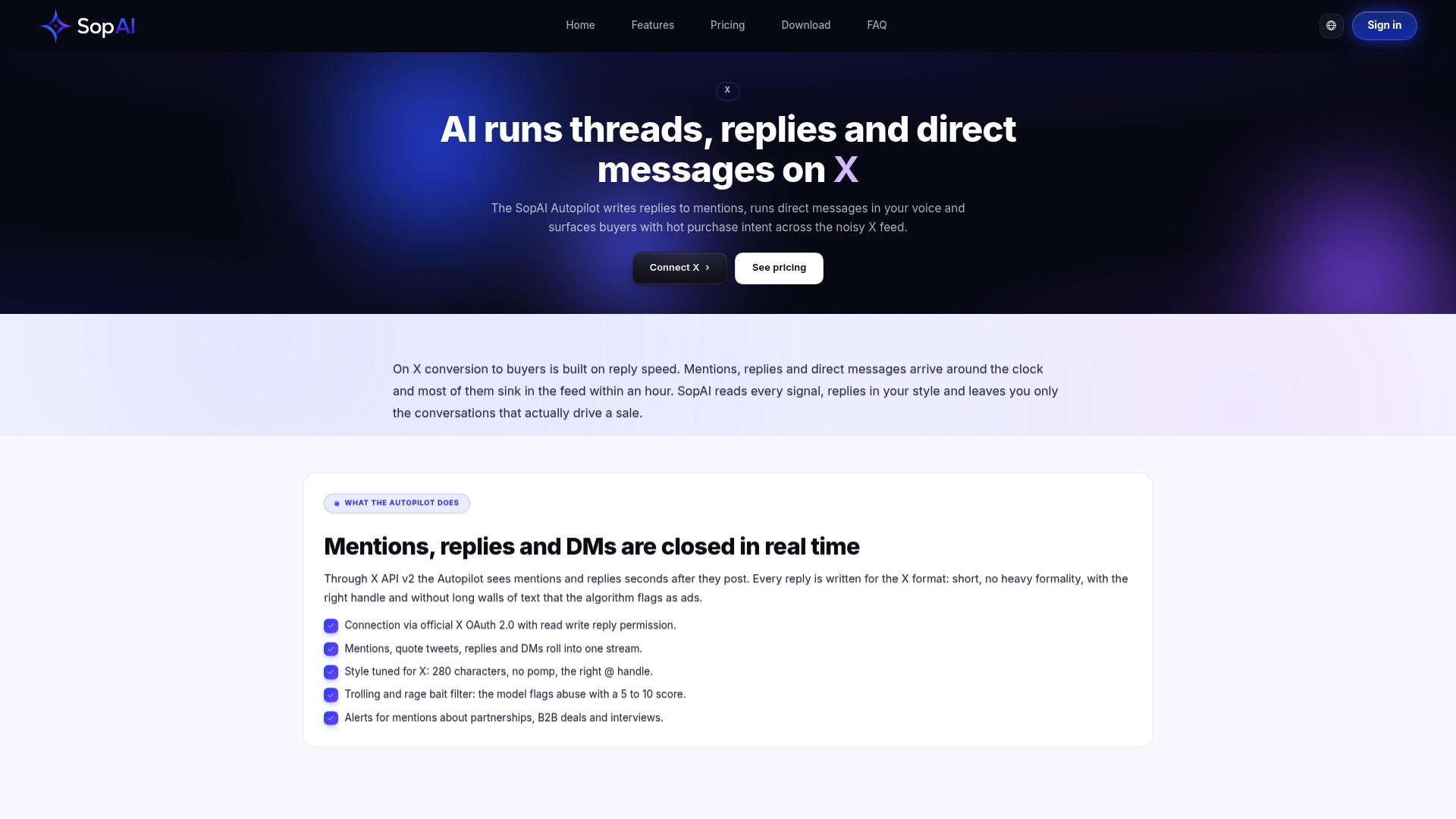
Sopai trains an AI voice model directly on your existing posts, so replies sound like your brand instead of a generic bot. It applies daily caps and deduplication to avoid replying multiple times to the same tweet automatically, keeps an audit log of every reply sent, and scores incoming interactions with buyer intent detection so your team can see which conversations are actually worth a human follow-up. Because Sopai manages engagement across eight networks instead of just X, you get one consistent voice everywhere your audience shows up, not a patchwork of separate tools.
If you're currently juggling a browser extension for X and a different tool for everything else, that's the exact gap Sopai was built to close. Try the AI Autopilot feature to see how reply automation runs with safety controls already in place.
Automation Without Guardrails Isn't a Strategy
Speed alone isn't the win here. A bot that replies to 500 tweets a day with three templates will get flagged faster than one that replies to 50 tweets with genuine variation and real targeting. The teams that get this right treat automation as a way to be consistent, not a way to skip judgment entirely.
That's the philosophy behind how Sopai approaches replies: automate the repetitive work, but keep the caps, the logging, and the voice training tight enough that scale doesn't come at the cost of sounding human. Businesses using Sopai's automated engagement approach can see noticeable improvements in new customers over time, which tracks with what you'd expect: people respond better to brands that reply like people, not templates.
If you're building your own bot instead, the lesson holds either way. The mitigations aren't optional extras. They're the difference between automation that works quietly in the background and automation that gets your account suspended.
— SopAI
Sources
For hands-on setup, check the n8n auto-reply workflow template for no-code builds, the RapidDev API guide for developer implementation details and quota guidance, the X Auto Reply Assistant listing for extension mechanics, and TweetLoft's feature page for a look at managed-tool capabilities.
- Scheduled auto-replies to targeted tweets using X (Twitter) API
- How to Automate X (Twitter) Replies using the API | RapidDev
- X Auto Reply Assistant